LeHACK 2025 z80 Explorer
The Game Boy’s CPU is very similar to Intel’s but much simpler. Loading the ROM into an emulator/disassembler that supports Game Boy binaries makes this challenge straightforward.
Difficulty : Medium
Category : Reversing
Ctf : LeHACK 2025
The file command indicates that our target is a Game Boy ROM image (256 Kbit, Rev.00):
~ $ file z80_explorer.gb
z80_explorer.gb: Game Boy ROM image (Rev.00) [ROM ONLY], ROM: 256Kbit
Since the console is very old, the architecture might be very simple to understand. I looked for tools to emulate and disassemble the ROM.
- I decided to go for pyboy as the emulator.
- And GhidraBoy for Ghidra, which is an extension that loads Game Boy ROMs correctly.
Running the Game
When launched in PyBoy, the game shows only a skull icon and neither responds to input nor progresses—effectively a “zombie” process.
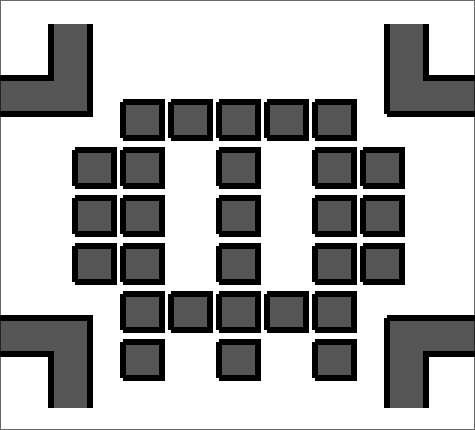
Ghidra FTW
GhidraBoy correctly imports the ROM. The function list is minimal, suggesting almost no game logic beyond simple memory operations.
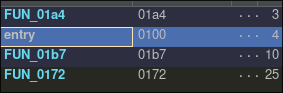
Entrypoint
The decompiled entry function is hard to read. I switched to the raw disassembly to trace what it actually does.
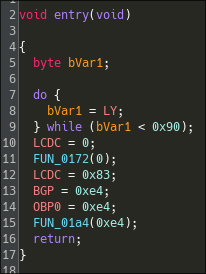
Identifying a memcpy‑like Routine
The first function called by the entry point (the function FUN_0172), is interesting.
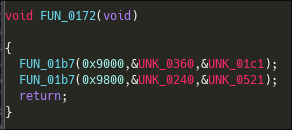
It calls another function (FUN_01b7), where the first argument seems to be an harcoded memory address. This could indicate that this function might write or read to registers within the SoC used by the gameboy.
The first call of the function FUN_01b7 has the following arguments :
- 0x9000
- Some pointer to probably a data stream
- and a pointer to some data, probably an integer.
Here is it's disassembly :
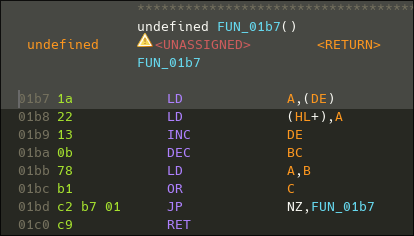
We can see that the code is fairly simple, nevertheless the registers are not renamed to their parameters id. While looking at some documentation, I noticed that the gameboy actually has no default ABI. So I have to check what the caller does to understand how the parameters are passed.
To do this I Checked this documentation that shows the differents registers of the CPU and their sizes : https://gbdev.io/pandocs/CPU_Instruction_Set.html
To do this, I have looked at this documentation which shows the differents registers of the CPU and their sizes.
Now looking at the disassembly of the caller, we can see 3 LD intructions to DE, HL and BC registers, before the call to the function FUN_01b7.
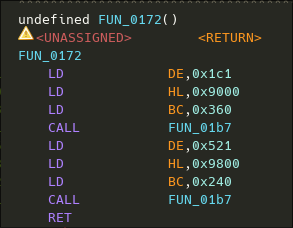
So the caller basically put theses values into the following arguments :
- HL = 0x9000
- BC = pointer to 0x360
- DE = pointer to some data
Now looking back at the code of the function FUN_01b7, it is fairly easy to understand what's happening :
The function simply load the data pointed by DE to the address stored into HL. The register BC serving as the amount of byte to copy.
The function signature is something like that :
void __asm memcpy(byte * dst, byte * src, uint8_t * len)
The calling convention would be HL→dst, DE→src, BC→length.
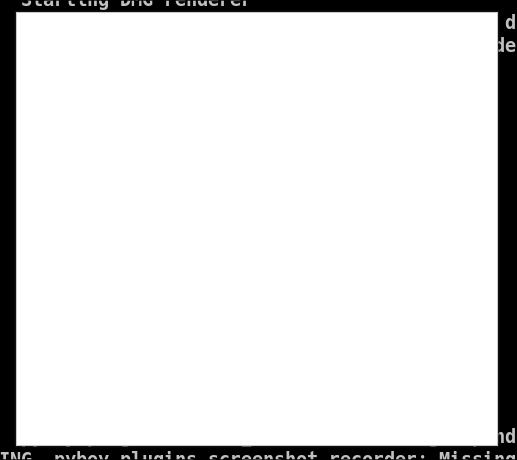
Suspecting this routine draws graphics, I patched one CALL FUN_01B7 to a NOP. Re‑running the ROM in PyBoy resulted in a blank screen, confirming that FUN_01B7 handles rendering.
Identifying unused code
Looking a bit more at Ghidra's listing, I could see something was off. The function contains some garbage data at its end, with no cross references. This is unlikely to be data because data and code are commonly placed in seperated memory regions.
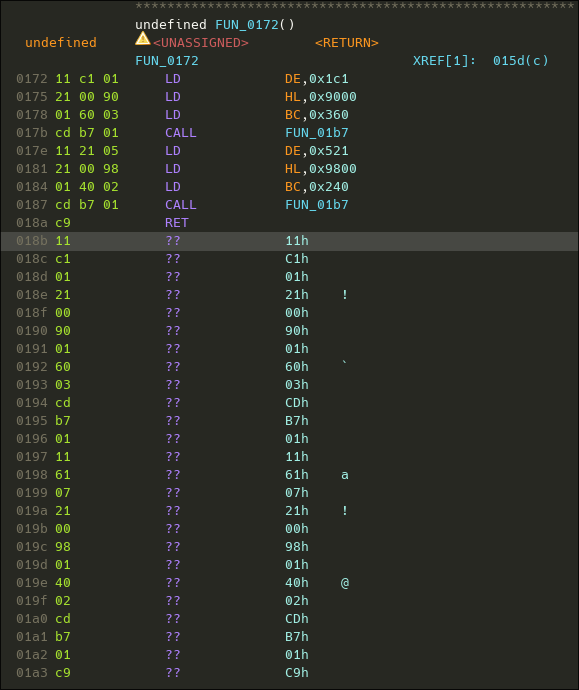
Disassembling this data clearly shows some unused code.
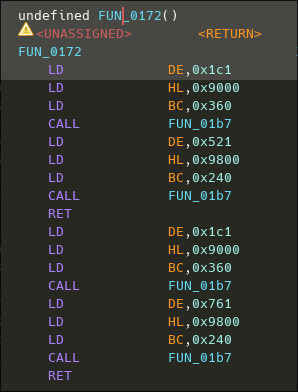
This portion of code, executes 2 calls to the memcpy function, using the same addresses than the two previous calls, likely replacing what's on the screen once executed. The ez trick to execute theses calls is just to patch the RET by a NOP
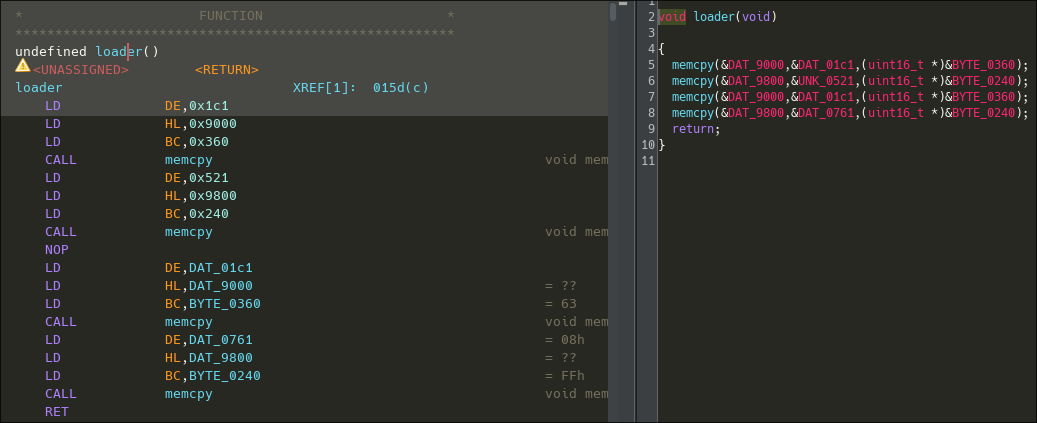
Let's execute the ROM again now :
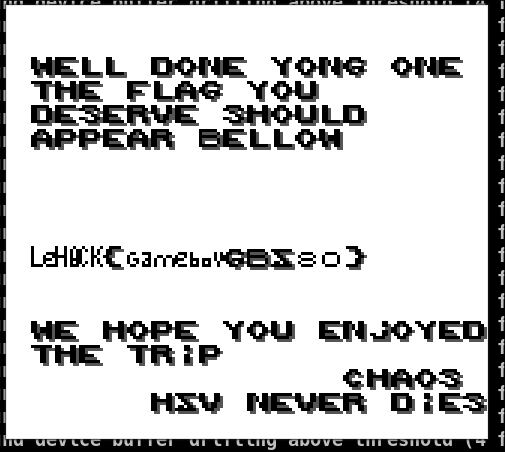
And here is the flag :)